 Tempo
A chess clock.
Nothing else.
Put your iPhone next to the board. Tap your half after your move. That is all there is to know.

Two big halves
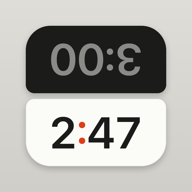
Each side belongs to one player. After your move you tap anywhere on your half, and the clock hands over at once.
Colors from the board
White is light, Black is dark. The top half is upside down, so the player across the table reads it the right way up.
Down to the millisecond
Tempo works from timestamps of the monotonic clock instead of counting seconds. In the last ten seconds it shows tenths.
Every time control
Bullet to classical, Fischer increment, delay, a different time per player and extra time after a set move.
Help & contact
Questions, ideas or a bug? Write to me: lenn@gahlert.net
What if something interrupts a game?
During a game the screen stays on. If the app is interrupted anyway — say, by a call — Tempo keeps counting with the device's monotonic clock, so the running time is exact afterwards. And if the app is closed, you can resume the game the next time you open it.
Where are my games stored?
Only on your device. Tempo has no accounts and sends nothing to the internet.
How do I change the language?
Tempo follows your system language. To change it for Tempo alone, go to Settings › Apps › Tempo › Language.
Does Tempo run on iPad?
Yes, on iPhone and iPad, portrait and landscape, light and dark. In landscape the halves sit side by side, like a tournament clock.